How do scam emails look like?
- say they’ve noticed some suspicious activity or log-in attempts — they haven’t
- claim there’s a problem with your account or your payment information — there isn’t
- say you need to confirm some personal or financial information — you don’t
- include an invoice you don’t recognize — it’s fake
- want you to click on a link to make a payment — but the link has malware
- say you’re eligible to register for a government refund — it’s a scam
- offer a coupon for free stuff — it’s not real
Most common email scams
1. The email comes from a generic domain (Gmail, Yahoo, etc.)
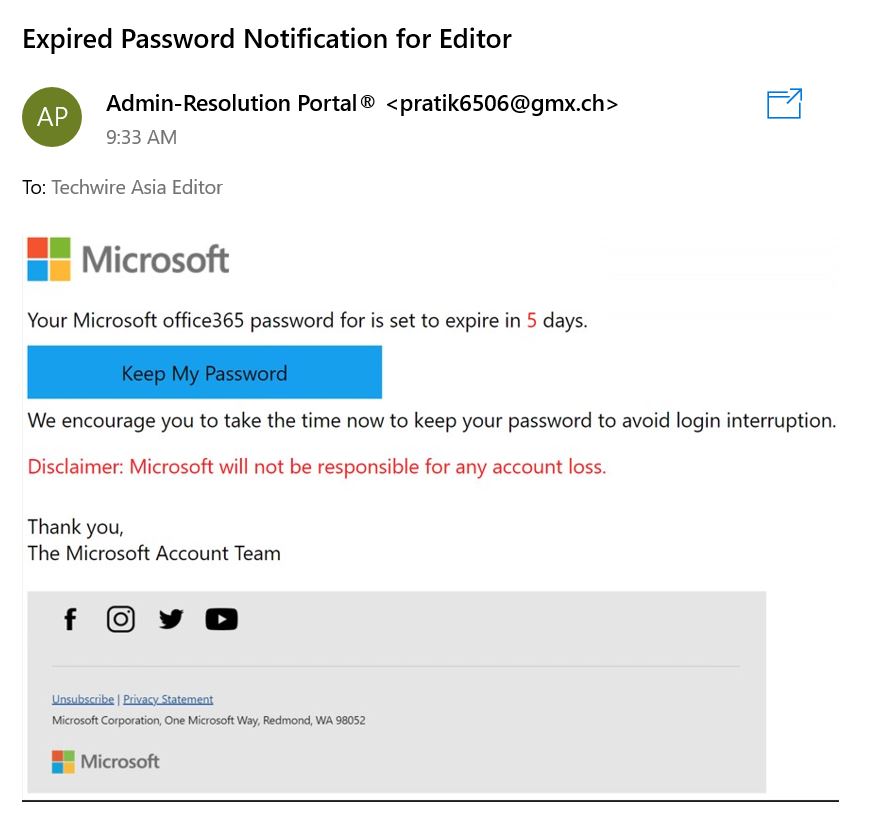
2. Urgent security warnings (“Someone has access to your account!”)
3. A ‘too good to be true’ promise
Scare tactics aren’t the only way that scammers prey on your emotions. If you receive an email claiming that you qualify for a reward or prize from a contest in which you didn’t participate, it’s likely a scam.
For example, let’s say you receive an email claiming you won a new phone and all you need is to click the link.
Even if they use
your full name or a common username, there’s a pretty low chance that
it’s a lucky mistake. Instead, scammers are most likely trying to get
you to enter your financial information or download malware on your
devices.
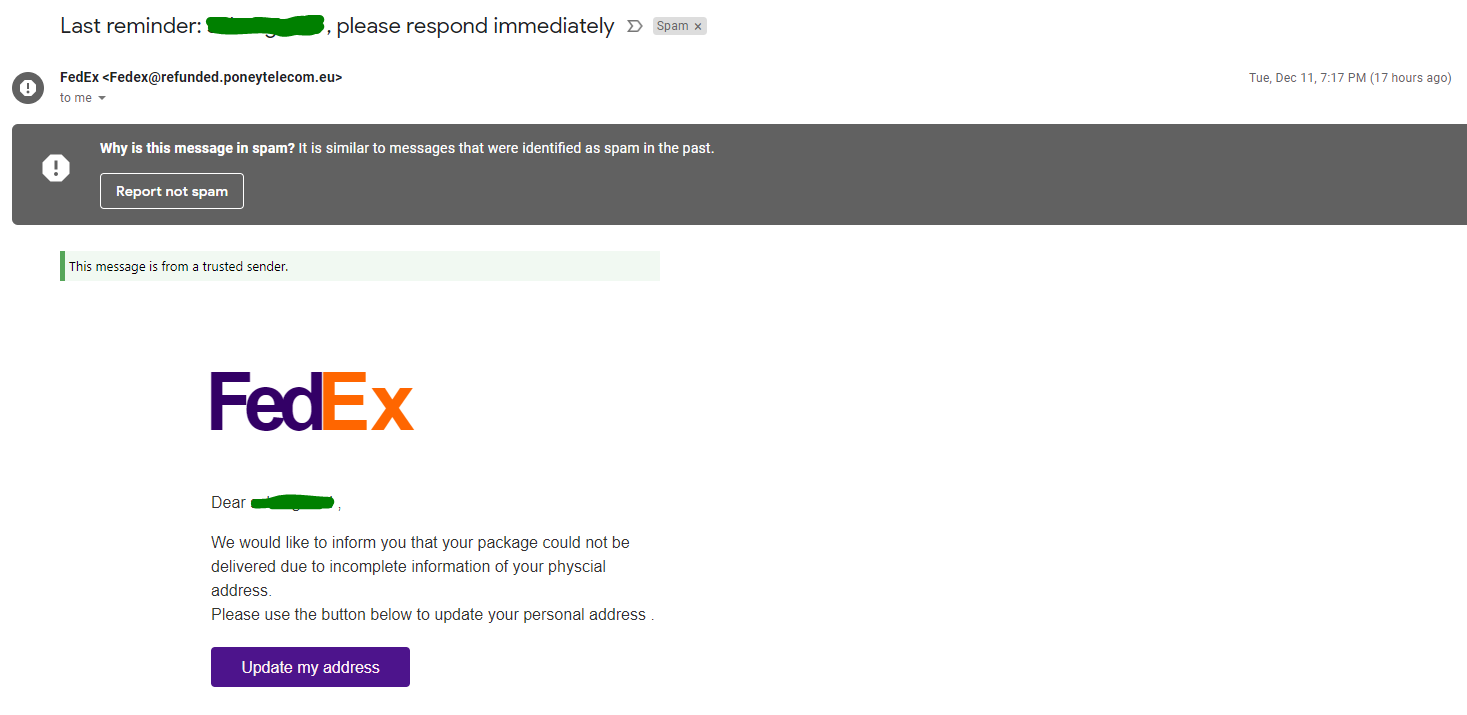
4. Missed package delivery scam email
- Has all the classic signs of a scam email.
- Urgency, element of surprise, strange links or QR code.
- Even the footer looks real. They even included privacy policy.
- The strange sender address clearly gives it away.
6. Redirects to unsecure domains (i.e., they’re missing HTTPS)
Fortunately, If you click on a link in a scam email, you’re not automatically in danger.
Most scam email links will send you to a phishing website that asks you to enter sensitive information like your credit card number or account login and password. These sites can look surprisingly real. But there’s one element that almost always gives them away.
Financial institutions and companies handling sensitive information always have HTTPS in their URLs (not HTTP). Sites with HTTPS provide secure communication over a network.
What if You Opened a Scam Email?
Here’s the good news: Scammers can’t do much if all you do is open a scam email.
However, you’re putting your personal and financial information at risk if you:
- Click on a phishing link.
- Download a malicious email attachment.
- Respond with sensitive information (like your bank login credentials or credit card details).
So, does this mean you’re completely safe if you only open scam emails (but don’t click on any links)? Not exactly.
If your email provider is set to automatically load images, then hackers can actually learn a lot about you, including:
- Your location.
- The internet service provider or mobile carrier you use.
- The device you used to open the email (desktop, tablet, iPhone / Android).
- What operating system you’re using (iOS, Mac, Android, Microsoft Windows, Linux).
- The email client you’re using (Apple Mail, Outlook, Gmail, or Yahoo Mail).
- Which web browser you’re using (Apple Safari, Google Chrome, or Firefox).
That’s a lot of information hackers can use for future, more sophisticated social engineering attacks.
Clicking on a Link in a Scam Email
If you clicked a link or downloaded an attachment, don’t panic. Instead, follow these steps:
- Disconnect from your Wi-Fi or mobile network.
- Scan your device for malware or viruses.
- Change your passwords immediately.
- Secure your accounts.

No comments:
Post a Comment